

I am changing how I write these. From this one on the devlogs are split into sections, so you can jump straight to what you care about and skip the rest. This update has a couple of things I am genuinely happy about and a long tail of fixes, so let me walk through it.
Files is now hackable
The Files app can take plugins now. There is a small contract a plugin fills in, and plugins live in the same place as all the others, the Plugins section in settings, where you turn them on. The app only loads the ones you have enabled, nothing gets picked up just because it is sitting on disk.
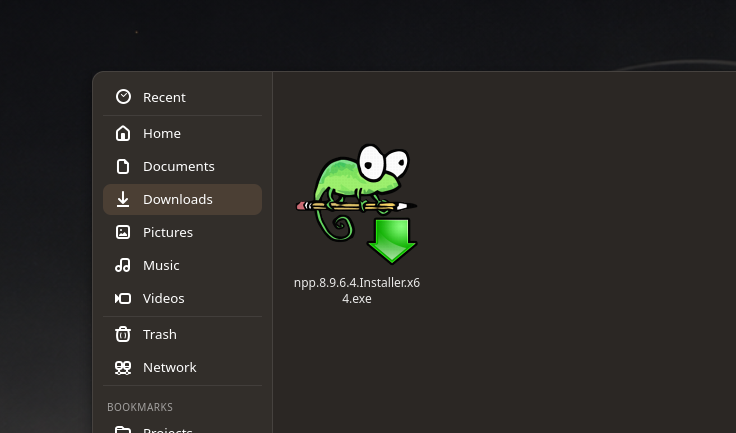
The first plugin I wrote reads the icon stored inside a Windows .exe, so those files show their real icon instead of a blank page, and I wrote the parser for it by hand rather than pull in a library just for that. It comes on by default on fresh installs and you can switch it off like anything else. Honestly I care less about this one plugin than about the fact that there is now a clean way to add the next one (github.com/…/issues/183).
While I was in there, the file manager and the file picker can now see and mount external disks that are plugged in but not mounted yet, instead of only the ones something else already mounted for you (github.com/…/issues/185).
A new greeter, and a lock that matches
The greeter is easily the part of Singularity that had gotten the least attention so far: rough design, a couple of graphical glitches, not exactly functional. This session, on top of almost certainly adding a fresh batch of quality bugs of my own, I redesigned it to sit better inside Singularity’s experience. The card is compact now: your real avatar and name at the top, the password field under it, a Sign In button next to a small round button for choosing the session, the clock and date moved off to the side of the card, and the wallpaper blurred behind the whole thing.
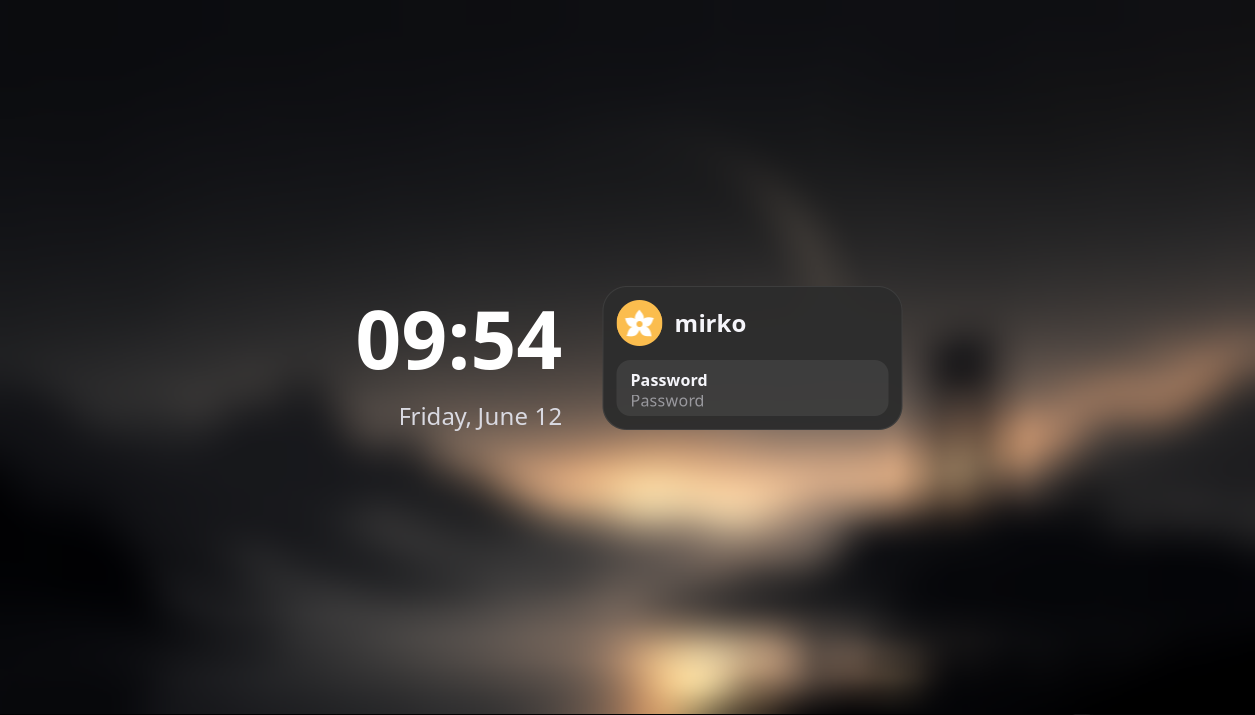
The lock screen got the same treatment, and it needed it more. Until now it was basically inaccessible, thanks to a bug that met you with a screen of deep, luxurious black and turned away every attempt to get in, even when you did know your password. I rebuilt it from its ashes as a toolkit-less client on ext-session-lock-v1, drawing with Cairo and checking the password through PAM, and dressed it in the greeter’s look: the same card, your real avatar, the blurred wallpaper, the password field, and a small chip for the status when you get it wrong. The black, by the way, came from handing the compositor a lock surface with nothing painted on it yet, which it answers by killing the locker and showing its own empty fallback, so it draws first now and only then hands it over. It is the one screen where a mistake locks you out of your own machine, so I am testing it the slow, careful way before I trust it (github.com/…/issues/35).
Window to workspace, brought back
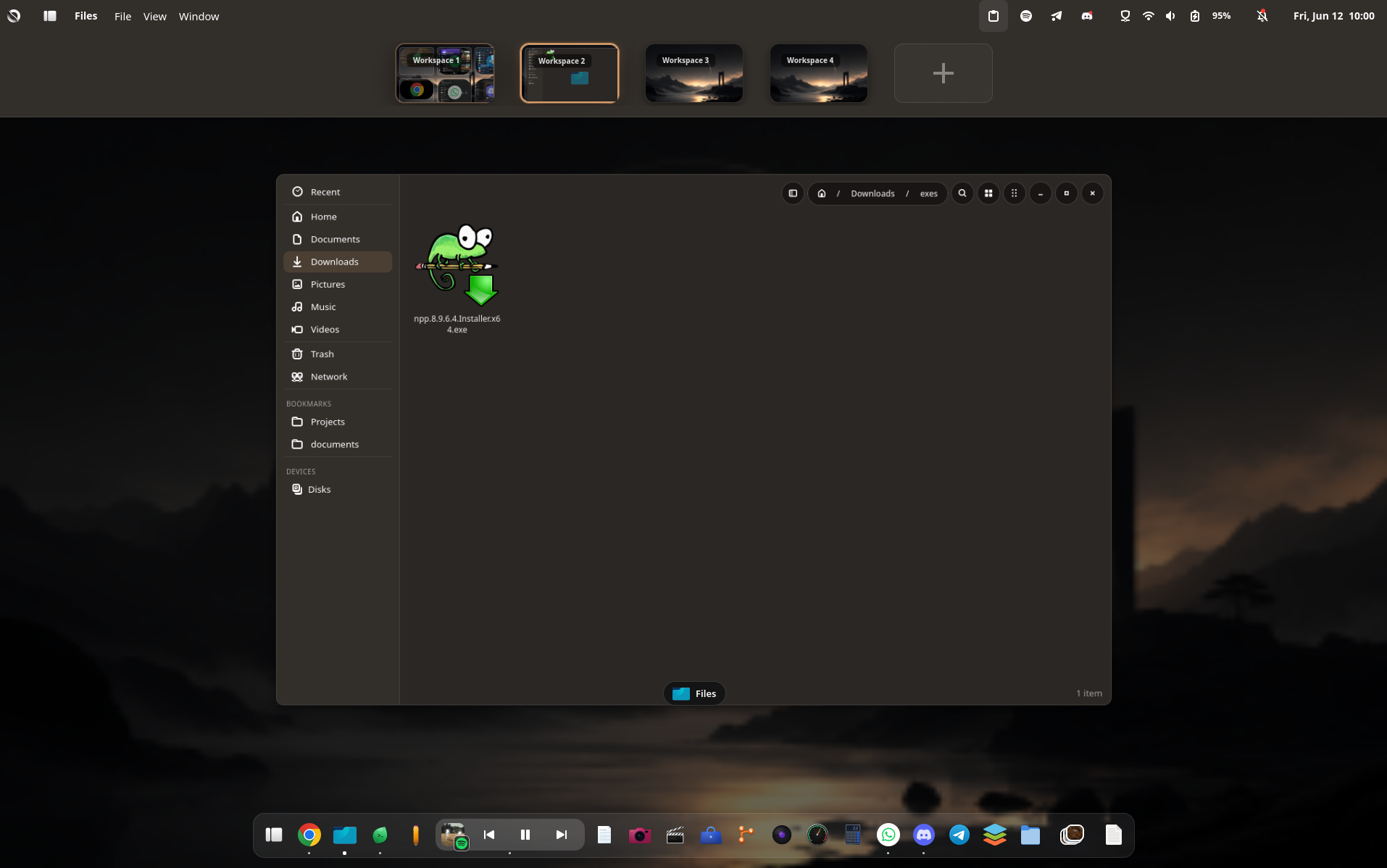
This one is a regression, not a missing feature, and I want to be honest about it. Dragging a window onto another workspace from the overview used to work. I lost it when I rebased our labwc fork: the protocol underneath changed, the request I relied on no longer fit upstream and would have crashed, so it had been left disabled, and the overview kept asking for a move that never happened. That is part of carrying a compositor fork, things can slip through a rebase without a sound. I added it back as a proper request in labwc that moves a window to a workspace by index, and now it goes where you drop it (github.com/…/issues/109).
The bugs
And the rest, the things that were simply wrong:
- Reordering the widgets in the app drawer could crash the whole shell, because I was freeing the widget you were dragging in the middle of the drag, and it also landed one slot off (github.com/…/issues/21).
- The dock changed height whenever the bigger active dot showed up, and it only ever showed one dot no matter how many windows an app had open. The row under the icon has a fixed height now and it counts the real windows, up to three. While I was there I added optional window previews on hover, off by default (github.com/…/issues/187, github.com/…/issues/180, github.com/…/issues/171).
- The file picker showed file times two hours off, it was printing them in UTC instead of your local time (github.com/…/issues/189).
- Minimizing a window left the last app’s menu and name stuck in the panel, now they clear (github.com/…/issues/179).
- Opening a photo from the file manager while the photo app was already open only raised the window instead of showing the photo you asked for. Now it shows it.
Still on it
A few things are not done, and I will not pretend they are: Bluetooth, the toggle and connecting and the device list, the pixelated fonts in some Java and screen recording apps, and the global menu for LibreOffice and a couple of Firefox cases. They are next.
If you try Singularity and something is off, tell me, open an issue on GitHub or come find me on Discord. The reports from machines that are not mine are what make this real.